

GroupChatPanel) is backed by POST / GET / POST on /api/teams/:id/chat, /api/teams/:id/chat/stream, and /api/teams/:id/chat/stop, plus /api/teams/:id/onboarding, /api/team-rules/:teamId, /api/chat-history, and /api/board.
Prerequisites
- A team with at least one agent. Create one from the Marketplace or the team sidebar, see Using teams.
- A connected runtime so agents can actually run. A native team needs a provider key connected; an OpenClaw team needs its Gateway connected. See Connecting runtimes.
The composer is live whenever the team has agents and nothing is currently running; it does not require a live OpenClaw Gateway connection. A native-only team (no Gateway) sends and receives exactly the same way, because the orchestration engine runs on the server, not in the browser.
Steps
1. Open a team’s Group Chat
Select a team in the sidebar. When a team is selected and has agents, a Group Chat row appears at the top of the agent list (a team-photo button stacking the members’ avatars). Click it. Under the hood this callsopenGroupChat(teamId), which routes ContentArea to the { type: 'groupChat', teamId } view.
GroupChatView then swaps between three states, in order:
- A brief neutral placeholder while onboarding state hydrates from
GET /api/teams/:id/onboarding. - The full-window Know-Your-Team gate (no graph yet) when onboarding is incomplete.
- The settled team space split (graph on top, chat on bottom) once onboarding is complete.
2. Pass the “Know Your Team” gate (first open only)
The first time you open a team’s chat, a one-time gate intercepts before the composer unlocks. It runs once per team, and it has two phases (thePhase type: welcome then user-intro):
- Phase 1: Meet your team. A welcome card shows the team’s agents and, when present, a “Led by Boo Zero” badge. The copy explains that your team is led by Boo Zero, who takes your request and routes it to the right specialist, so you don’t need to learn every teammate up front. Click Get Started (
data-testid="know-your-team-button"). - Phase 2: Your turn. A textarea (
data-testid="user-intro-textarea") asks you to introduce yourself. The submit button reads Continue to Team Space (data-testid="submit-user-intro"); your intro must be at least 5 characters. On submit, the text is persisted to SQLite viaPATCH /api/teams/:id/onboarding(theuserIntroTextfield, capped at 4000 chars server-side). Boo Zero then acknowledges you in-character, and the split opens into the team space.
There is no agent-introduction round; a team’s agents are understood from the welcome (roster plus leader) and, more importantly, from the first real task’s live delegation. Cascade prevention is built into the server orchestrator, so the gate no longer needs to sequence introductions to stay safe. Your self-introduction (
userIntroText) is the source of truth in SQLite; it is re-injected into every group-chat turn’s context, so agents always know who they are talking to, even on the very first message and after long gaps.3. Send a message
Type in the composer and press Enter. With no@mention, the message routes to the team’s leader. The routing priority is:
- An explicit
@mention(see the next step). - Boo Zero, the universal, no-mention default.
- The team-internal lead (a CTO / Team Lead role detected at deploy time, stored as
team.leaderAgentId). - The first team member.
POST /api/teams/:id/chat, which returns immediately (202) while the work proceeds on the server. Before the message reaches the target, the server assembles a context preamble and prepends the team’s durable rules and your userIntroText (and the live roster) to the turn, so a correction or who-you-are persists across the conversation. The raw message, @mention included, is what shows in the transcript; the assembled context goes only to the runtime. Responses stream back live over GET /api/teams/:id/chat/stream.
4. Route with @mentions
Start a message with@AgentName to address one teammate directly instead of the leader. parseMention only matches an @ at the start of the message, using a longest-prefix, case-insensitive match against the team roster (team members and Boo Zero, so @Boo Zero works too). The matched name must be followed by whitespace or end-of-string. On a match, the @mention is stripped from the message the agent receives, and routing goes to that agent.
5. Watch delegations land on the board
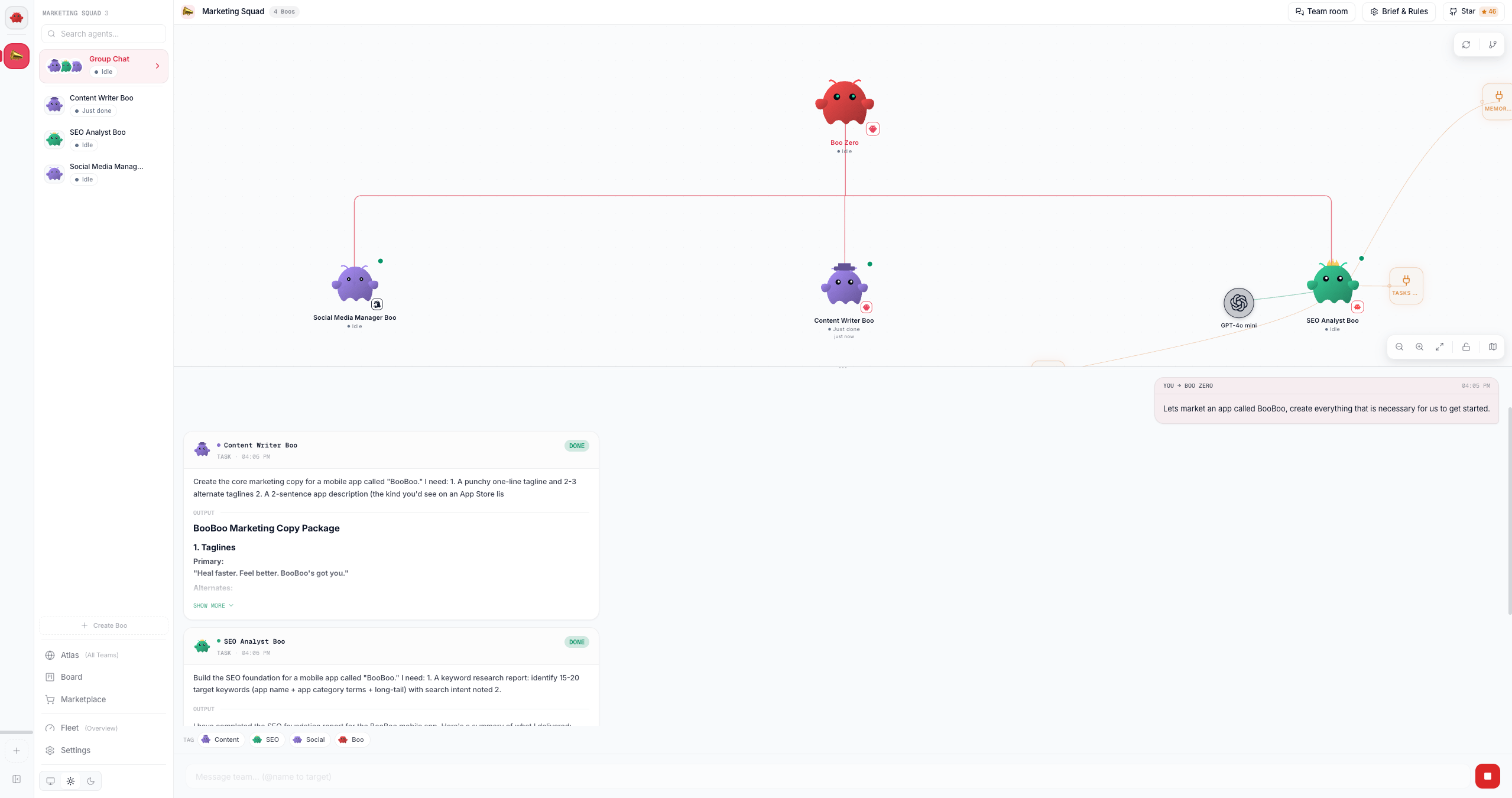
When the leader (or any agent) emits a structured delegation, the server orchestrator turns it into a durable board task that appears inline in the chat timeline as aBoardTaskCard. This is the chat-fused board: the board is canonical, the chat is narration.
A delegation is a structured directive, not prose; the engine reads only typed signals: a delegate or sessions_send tool-call, or a <delegate to="@Name">task</delegate> (or multi-step <plan>) directive parsed once from the agent’s terminal turn. Per delegation, the per-team server orchestrator (getTeamOrchestrator, over the shared createBoardOrchestrator core) does this:
- Derive: chat to board: the delegation creates a task, atomically claims it for the target, and opens an execution row.
- Round-trip: result to board: when the child finishes, its report-up summary and status are written to the board (never the raw transcript).
- Reflect: board to chat: completed tasks are batched (a 3-second window) into a single
[Task Update]delivered back to the leader for synthesis, plus a visible narration entry.
<plan> becomes a dependency chain where each step fires when its blocker completes. Delivery routes through a non-destructive nudge-queue, so a message to a busy teammate waits for its turn boundary instead of interrupting an in-flight run. Because the engine runs server-side, the cascade keeps going even if you close the tab, and it is all still there when you reopen. The full model is in Delegation and orchestration and The board.
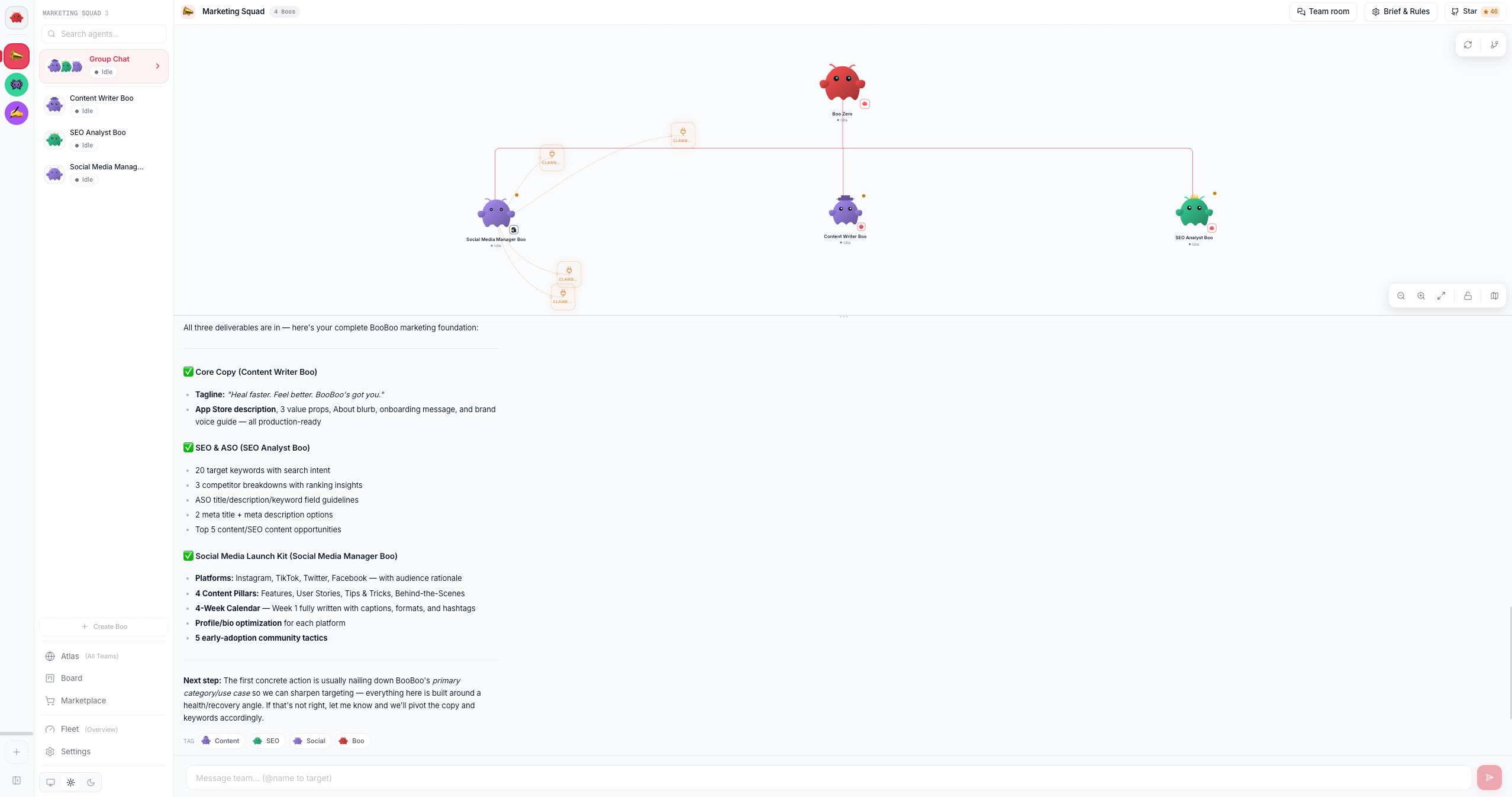
When the last delegation completes, the leader synthesizes every deliverable into one final answer:
A risky-looking delegation (matching keywords like
delete, deploy, publish, rm -rf, secret, api_key) is surfaced on the leader’s approval queue via POST /api/governance/delegation-approval before it runs. Routine delegations never touch this path. The gate fails closed: an unreachable approval endpoint does not auto-approve.6. Stop a runaway team
While any agent is running or streaming, the composer’s Send button morphs into a red Stop button (data-testid="chat-stop-button"). Clicking it posts to POST /api/teams/:id/chat/stop, which bumps the server’s stop generation and aborts every in-flight run for the team, then cleanly releases each task back to todo (it is re-runnable, not blocked, and no failure is reflected). The UI flips to idle immediately, and because the stop happens on the server, a stopped team does not restart its cascade one beat later.
7. Capture a durable team rule with /rule
Type /rule <text> in the composer to add a durable rule for this team. The rule is saved to SQLite (PUT /api/team-rules/:teamId), a confirmation entry drops into the transcript, and nothing is routed to an agent. The prefix must be /rule followed by a space and a non-empty body (so /rules or a bare /rule does not misfire).
Team rules are loaded and prepended to the context preamble on every future turn (wrapped as an authoritative Team Rules block, set by you), so a correction like /rule don't do work yourself, delegate via <delegate> survives across sessions instead of rolling out of the recent-message window. The same rules text is also editable from the team’s Brief & Rules panel, see Boo Zero.
The peer-chat room
Every team also has a durable peer-chat room underneath the group chat, where each runtime posts as a named peer. It has no dashboard viewer today: there is no toggle in the team header and no panel that renders it. Posts land in the sharedteam_chat table from two directions in a shipped install: the bounded exchange engine writes each runtime’s turn to the room as a named peer (kicked off by POST /api/team-chat/exchange), and board mutations made through the REST board API narrate themselves into the same room as system lines. Agents post and read the room directly through the TeamChat MCP tools (team_chat_post / team_chat_subscribe), which are attached by default on the teams the dashboard creates. The only way for you to read the room back is the REST endpoint, GET /api/team-chat?teamId=<id>. It is the “one room, any runtime can lead” surface, distinct from the user-facing group chat above (where you type). See Peer chat for the model.
Options / variations
Verify it worked
- After the gate, the composer unlocks and accepts input. Re-fetch
GET /api/teams/:id/onboarding; bothagentsIntroducedanduserIntroducedshould betrue, anduserIntroTextshould hold your introduction. - Send a message that prompts a delegation; a
BoardTaskCardshould appear inline (assignee avatar, status badge, title) and progress fromin_progresstodone. Cross-checkGET /api/board?teamId=<id>; the same task is there. - A
/rule …message should drop a “Rule saved for team” confirmation and show up inGET /api/team-rules/:teamId.
Troubleshooting
Old chat history replaying as new work. Orchestration runs on the server and is keyed to the durable board, not to what the browser last saw, so reopening a team never replays hydrated history as new delegations. If you see stale activity on team open, it is the live stream catching you up on work that actually ran, not a re-fire.
Related
- Peer chat, the mixed-runtime room model under the team chat
- Delegation and orchestration, structured tags, no-regex, the board-driven engine
- The board, the durable kanban the delegations land on
- Using teams · Boo Zero, team setup, leaders, briefs, and rules
- Connecting runtimes, bring a runtime online so agents can run