

- Global (display name + global brief): the Brief tab on Boo Zero’s own agent view.
- Per-team (brief + rules): the Brief & Rules sheet behind the gear in the team chat header, plus the
/ruleslash command in the team composer.
Who Boo Zero is
Boo Zero is the runtime-neutral universal leader, identified at connect time, and by default it is a Clawboo-native agent. The client resolves it from the registry’sdefaultId (from GET /api/agents, which the server computes as resolveBooZero: an explicit override, then the native Boo Zero, then the OpenClaw default), then falls back to the first teamless agent (teamId === null), then the first agent overall. The resolved id lives in useBooZeroStore.booZeroAgentId. The same Boo Zero leads every team regardless of the team’s runtime mix.
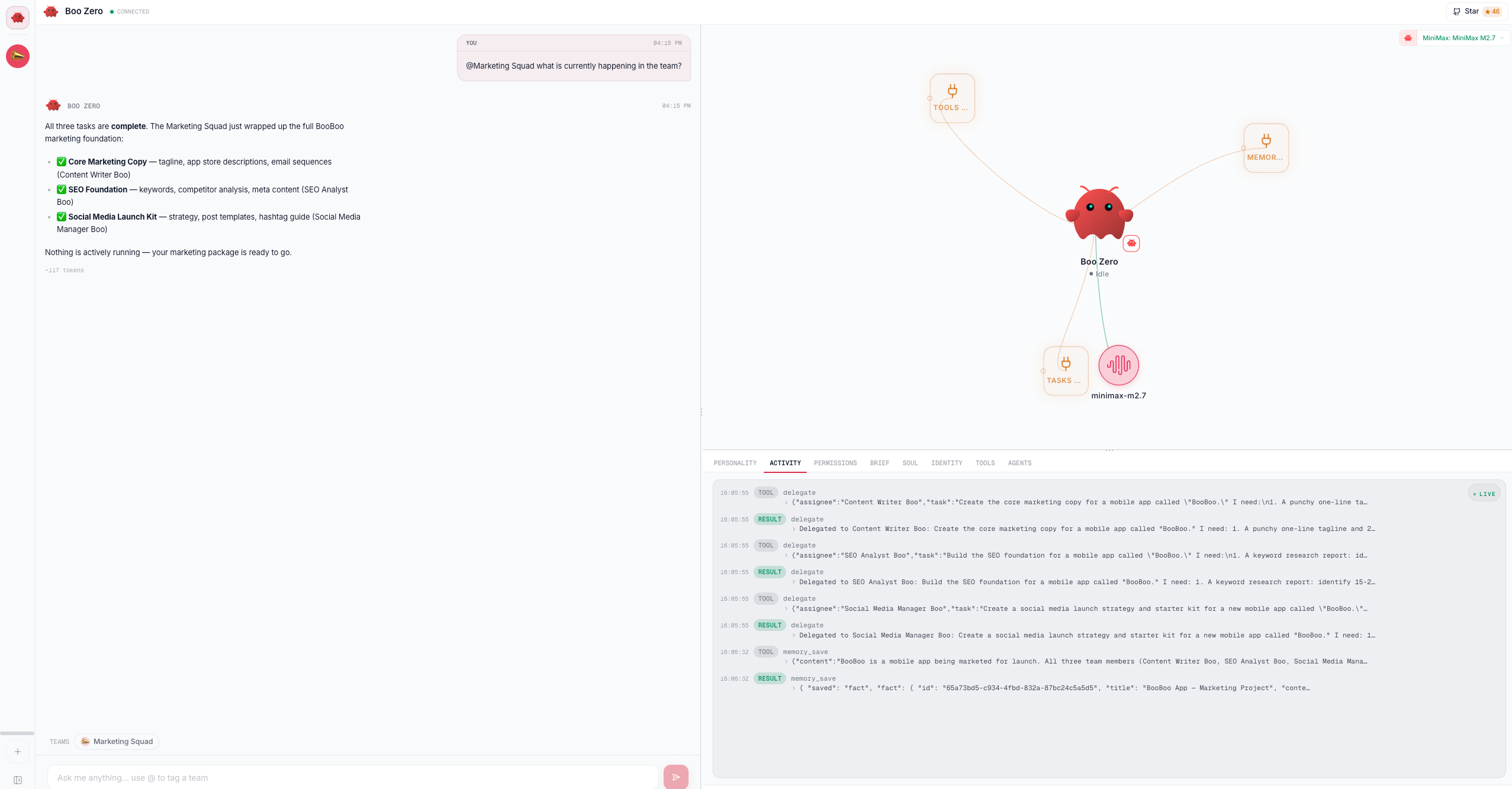
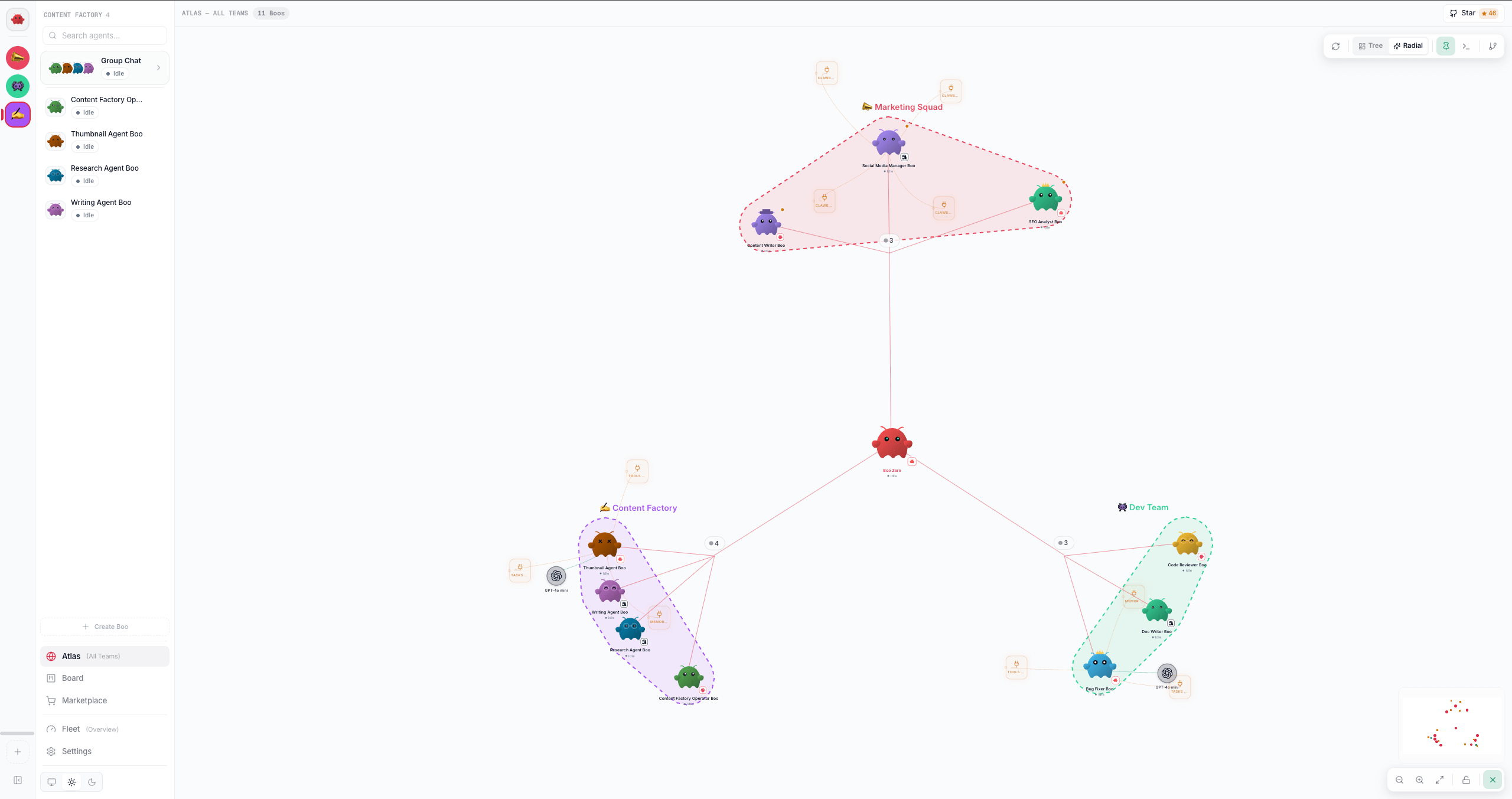
teamId === null) but participates in every team via team-scoped sessions. In any team’s Ghost Graph, Boo Zero is pulled in as the universal leader even though it has no team membership; the TeamHaloLayer deliberately omits it from any team’s hull because its teamId stays null.
Two visible signals mark Boo Zero in the UI, both driven by @clawboo/boo-avatar:
- Reserved OpenClaw-Red tint. When
isBooZero: true, the avatar’s tint is forced toTINTS[0](#ff4d4d, OpenClaw red). Every other agent’s tint is a deterministic hash over the other nine tints, so the red ghost-lobster is Boo Zero’s alone. The accessory is also hard-locked tonone; Boo Zero is the clean mascot, never wearing glasses/hat/headphones/crown. - A “Leadership” orbital in the graph. For every Boo flagged
isUniversalLeader,useGraphDatasynthesizes a reservedSkillNode(skillId: 'clawboo-leadership',isLeadership: true) that orbits Boo Zero.SkillNoderenders it with an amber Compass icon and hides the Install button; this skill cannot be installed on any other agent. It is a graph-layer attribute, not a real capability record, so it survives any future change to Boo Zero’s tools.
The authoritative identity at runtime is the
[Your Rules] anchor block built by buildBooZeroRulesBlock (lib/booZeroRules.ts), injected as the first section of every Boo-Zero-bound message: user messages, agent-to-Boo-Zero delegations, wake-ups, and the 1:1 chat path. That block is hard-coded (not editable through the UI) so the load-bearing safety rules, name, never spawn sub-agents, <delegate>-only routing, silence-on-relay, no false timeouts, no re-greeting, can never be deleted by editing a brief. Everything below is the editable context that rides alongside it.Prerequisites
- A connected runtime with Boo Zero identified (a fresh fleet hydration resolves it automatically).
- For per-team configuration, a team must be selected; the Brief & Rules gear only renders when a team is active.
Set the display name and global brief
These two editors live on the Brief tab of Boo Zero’s individual agent view. The Brief tab is Boo-Zero-only:InlineEditor gates it on isBooZero, so it appears for no other agent.
Steps
- Open the Boo Zero view. Click the mascot icon at the top of the leftmost team sidebar. This selects no team (
selectTeam(null)) and opens the Boo Zero agent view. - Switch to the Brief tab in the inline editor.
- Set the display name. Type a name in the Display Name field (defaults to
Boo Zero, max 80 characters) and click Save. ThisPUTs/api/boo-zero/display-name/:agentIdwith{ name }, storing the override in Clawboo’s SQLitesettingstable underboo-zero:display-name:<agentId>. Saving also fires a best-effort sync of the new name into Boo Zero’sSOUL.mdheading (syncBooZeroSoulIdentity) so the persisted identity aligns with the override. - Edit the global brief. The Global Brief textarea holds Boo Zero’s overall responsibilities plus an auto-generated index of the teams it leads. Edit freely, then click Save to
PUT/api/boo-zero/global-briefwith{ content }, stored insettingsunderboo-zero:global-brief. Use Regenerate from teams to rebuild a fresh draft from your current team list; this does not save until you click Save.
What each field does
The display-name toast tells you to reload to apply across all views. The override is read at hydration time, so a reload re-overlays the new name everywhere. The per-turn rules anchor picks up the new name on the next message regardless.
Set per-team brief and rules
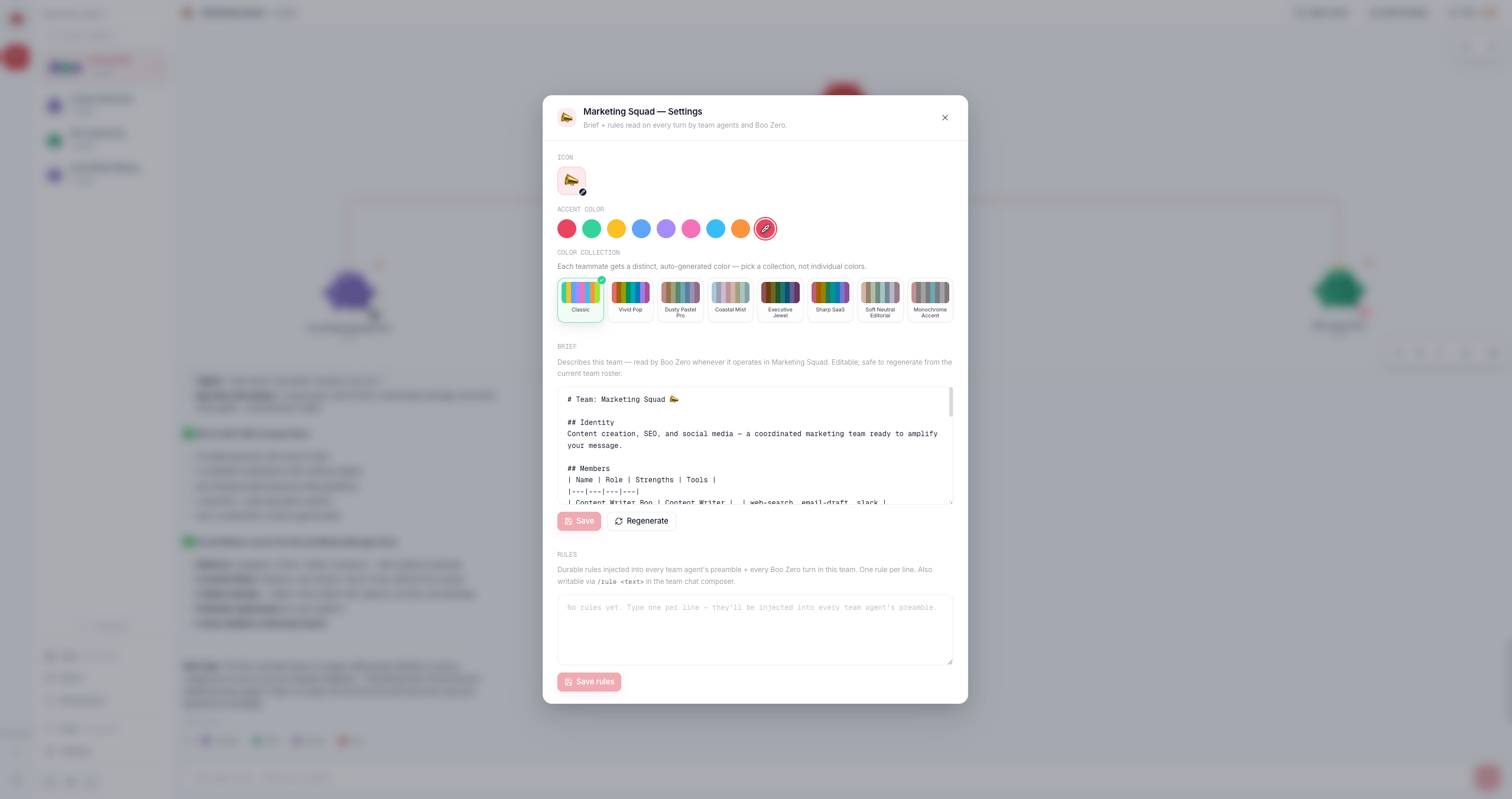
Per-team configuration lives in the Brief & Rules sheet (TeamSettingsSheet), opened from the gear in the team chat header (GroupChatViewHeader). The sheet stacks two editors below the team’s icon/accent/color controls: the per-team Brief and the per-team Rules.
Steps
- Open a team’s group chat and click the Brief & Rules gear in the header.
- Edit the per-team brief. This is what Boo Zero reads when it operates on this specific team. It is stored in the dedicated
boo_zero_team_briefstable (one row per team, FK-cascaded on team delete) viaPUT /api/boo-zero/team-briefs/:teamIdwith{ content }. - Edit the team rules. Type one rule per line. Save rules
PUTs/api/team-rules/:teamIdwith{ content }(capped at 4000 characters server-side), persisting to thesettingskeyteam-rules:<teamId>. These rules are injected into the preamble of every team agent’s message and every Boo Zero turn in this team.
Per-team surfaces at a glance
Per-team rules and briefs survive across sessions. The reason they exist: a user correction like “they are not sub-agents, delegate via
<delegate>” sits only in chat history and rolls out of the last-8-messages context window within an hour. Persisting it durably means the team stops repeating the same mistake.Capture a rule with /rule
The fastest way to add a team rule is the /rule slash command in the team chat composer, no need to open the sheet.
- In the team composer, type
/rule <text>(the command requires a space after/ruleand a non-empty body, so/rulesor/rule:will not trigger it). - Press send. Clawboo intercepts the message before routing to any agent: it fetches the team’s current rules, appends your text as a new line (deduping exact case-insensitive duplicates via
appendRule), andPUTs them back throughsaveTeamRules. Nothing is sent to the runtime. - A single confirmation entry (
Rule saved for team: <text>) appears in the merged team view as a breadcrumb. On failure you get an error toast and the message is dropped.
[Team Rules — set by the user, authoritative] … [End Team Rules] (buildTeamRulesBlock) before injection, so agents recognize it as authoritative user guidance.
Verify it worked
- Display name: re-fetch
GET /api/boo-zero/display-name/:agentId; the response{ name }should match what you saved. After a reload, the new name appears in chat headers and the fleet sidebar. - Global brief: re-fetch
GET /api/boo-zero/global-brief;{ content }should be your saved markdown. Anullcontent means nothing is stored and the UI is showing the generated default. - Per-team brief: re-fetch
GET /api/boo-zero/team-briefs/:teamId; a non-null{ content }confirms the upsert. - Team rules: re-fetch
GET /api/team-rules/:teamId;{ content }reflects your saved rules (or your/ruleappends). Reopening the Brief & Rules sheet shows the same content.
Troubleshooting
Editing a brief does not change the safety rules. The
## Required behavior block you see inside the global brief is sourced from buildBooZeroRulesBlock for display parity; editing the brief textarea is documentation only. The runtime source is lib/booZeroRules.ts, which is not user-editable. To change Boo Zero’s enforced behavior you change that code, not the brief.Related
- Agent model, Boo, Boo Zero, and the five runtime classes
- Using teams, create/manage teams, leaders, and color collections
- The Ghost Graph, where the Leadership orbital and red tint appear
- Group chat, the team chat surface that hosts the
/rulecommand and the Brief & Rules gear - Agents, the inline editor and the SOUL/IDENTITY/TOOLS/AGENTS files
See also
- Teams API reference,
/api/team-rules,/api/team-chat, team-onboarding shapes - Glossary, Boo Zero, Ghost Graph, the board, runtime