

These docs describe Clawboo v0.3.1, the current release.
Prerequisites
- A running Clawboo dashboard. If you haven’t installed it yet, start with Quickstart, native (no Gateway) or Quickstart, OpenClaw.
- At least one connected runtime. Either path in this tutorial works:
- Native: you pasted a provider key during native onboarding, then picked a team from the marketplace and deployed it.
- OpenClaw: your OpenClaw Gateway is connected, so you can deploy a marketplace-template team of OpenClaw agents.
Team chat and delegation run server-side and work for every runtime, including a native-only team with no Gateway. The composer is live as soon as the team has agents, and a delegation cascade keeps running even if you close the browser tab.
Steps
1. Get a team
You either already have one (from native onboarding) or you deploy one now. You already have a team. During native onboarding you picked a starter team from the marketplace and deployed it (every agentclawboo-native). The wizard’s “Your team is ready” screen was that team’s Meet your team beat, so its group chat opens directly on the introduce yourself step. Skip to step 3 and start from the second screen there; your team already exists.
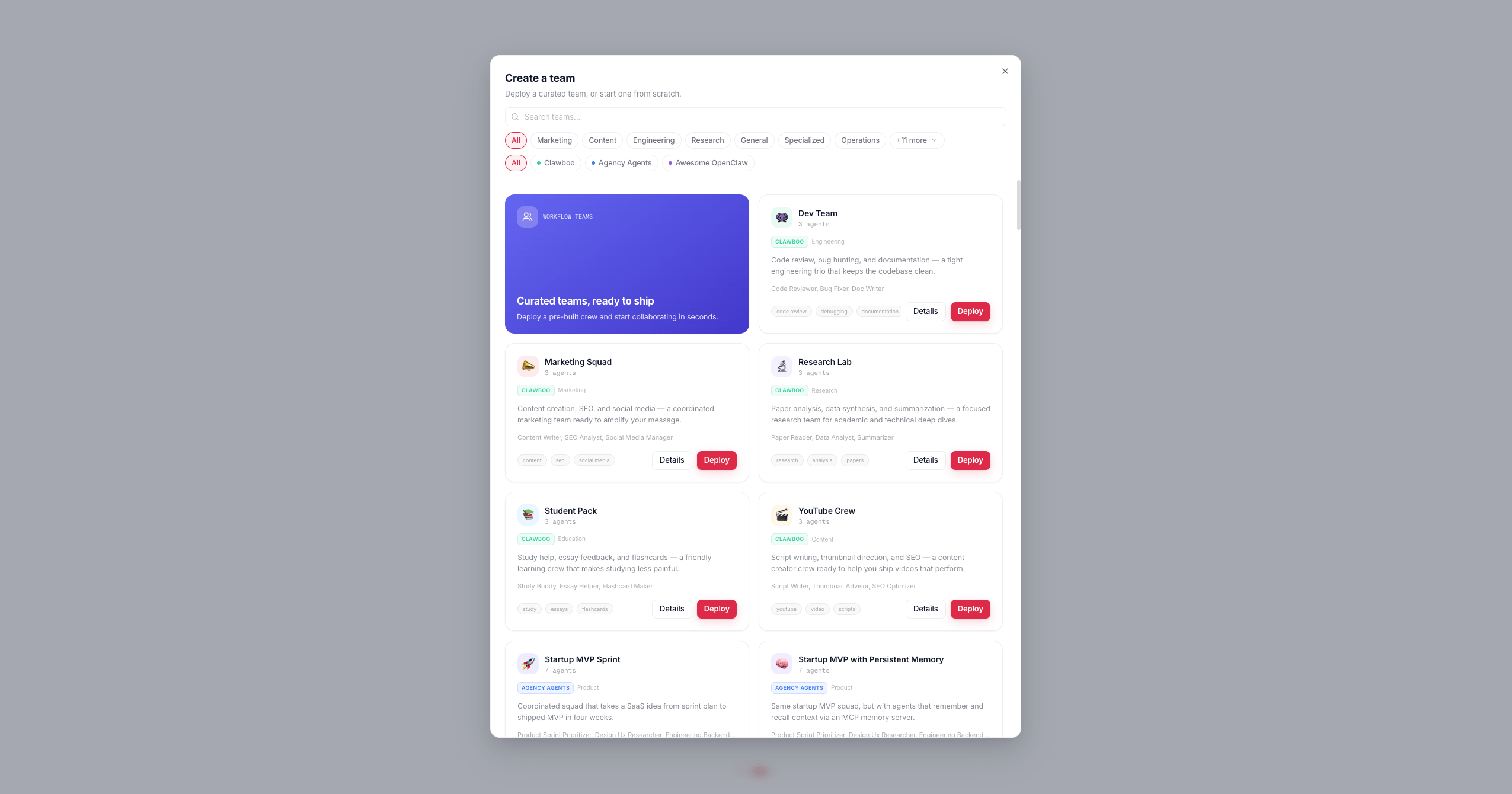
Deploy a template team. The + button in the leftmost sidebar takes you to the Marketplace’s Teams tab (the catalog of 85 teams, 436 agents). Press Deploy on a team card, then customize its name, icon, color, and the runtime each member runs on. You can mix runtimes: a native leader with a Claude Code or OpenClaw specialist, for example. (Prefer a blank team? Use the Start from scratch card on that same tab.)
2. Watch the team deploy
Clawboo now creates the team and its agents in order:POST /api/teamscreates the team row (name, icon, color, the template id).- For each agent in the template,
createAgentwrites its four agent files:SOUL.md,IDENTITY.md,TOOLS.md, and a collaboration-protocolAGENTS.md, thenPOST /api/teams/:id/agentsassigns it to the team. The protocol file teaches each agent the team roster and the structured<delegate to="@Name">task</delegate>syntax it uses to route work. - If the template defines
@mentionrouting, agent-to-agent coordination is auto-enabled.
N/M agents. When the last one lands, the screen flips to a check mark and “Team deployed!”, then the modal hands you off.
Expected result: after the brief “Team deployed!” beat the modal closes itself and you land directly in your new team’s group chat, with a success toast confirming the agent count. There is no separate “done” dialog to dismiss.
3. Run the “Know Your Team” gate
The first time you open a team’s group chat, a one-time onboarding gate fills the window instead of the chat. This is the Know Your Team flow, and it runs once per team. The gate has two phases:- Meet your team: a welcome card showing each agent’s avatar and, when Boo Zero (the universal team leader) is identified, a “Led by …” badge. The copy explains that your team is led by Boo Zero, who takes your request and routes it to the right specialist. Click Get Started.
- Your turn: a textarea asks you to introduce yourself (“your name, what you’re working on, how you’d like the team to help”). Type a short intro and click Continue to Team Space.
4. Send a message in group chat
You’re now in normal group chat. Type a request into the composer at the bottom and send it. Your message routes to the team’s leader by default (Boo Zero, or the first team member). To address a specific agent, start your message with@AgentName; the longest-prefix match against the roster wins, and the @mention is stripped before delivery.
Expected result: the leader starts responding, its reply streaming live into the transcript with its own avatar and name.
5. Watch a delegation land on the board
When the leader decides a request needs hands-on work, it emits a structured<delegate to="@Name">task</delegate> directive in its response. Clawboo’s orchestration engine, which observes every team member’s session, turns that directive into a durable board task; it does not scrape prose for intent.
For each delegation, the engine:
- Creates a board task and atomically claims it for the target agent (a lost claim is a conflict, never retried).
- Delivers the task to that agent’s session through a non-destructive queue (a busy agent’s task waits for its turn boundary; it never interrupts an in-flight run).
- Reports the result back when the agent finishes: the task moves to
doneand a report-up summary lands on the board.
[Task Update] narration delivered back to the leader for synthesis.
Expected result: at least one Board task card appears inline in the chat, its status pill advancing to Done, and the leader synthesizes the teammate’s work back to you.
What you should see
The settled team space puts the team’s Ghost Graph on top and the group chat below, with Board task cards interleaved into the conversation as delegations land: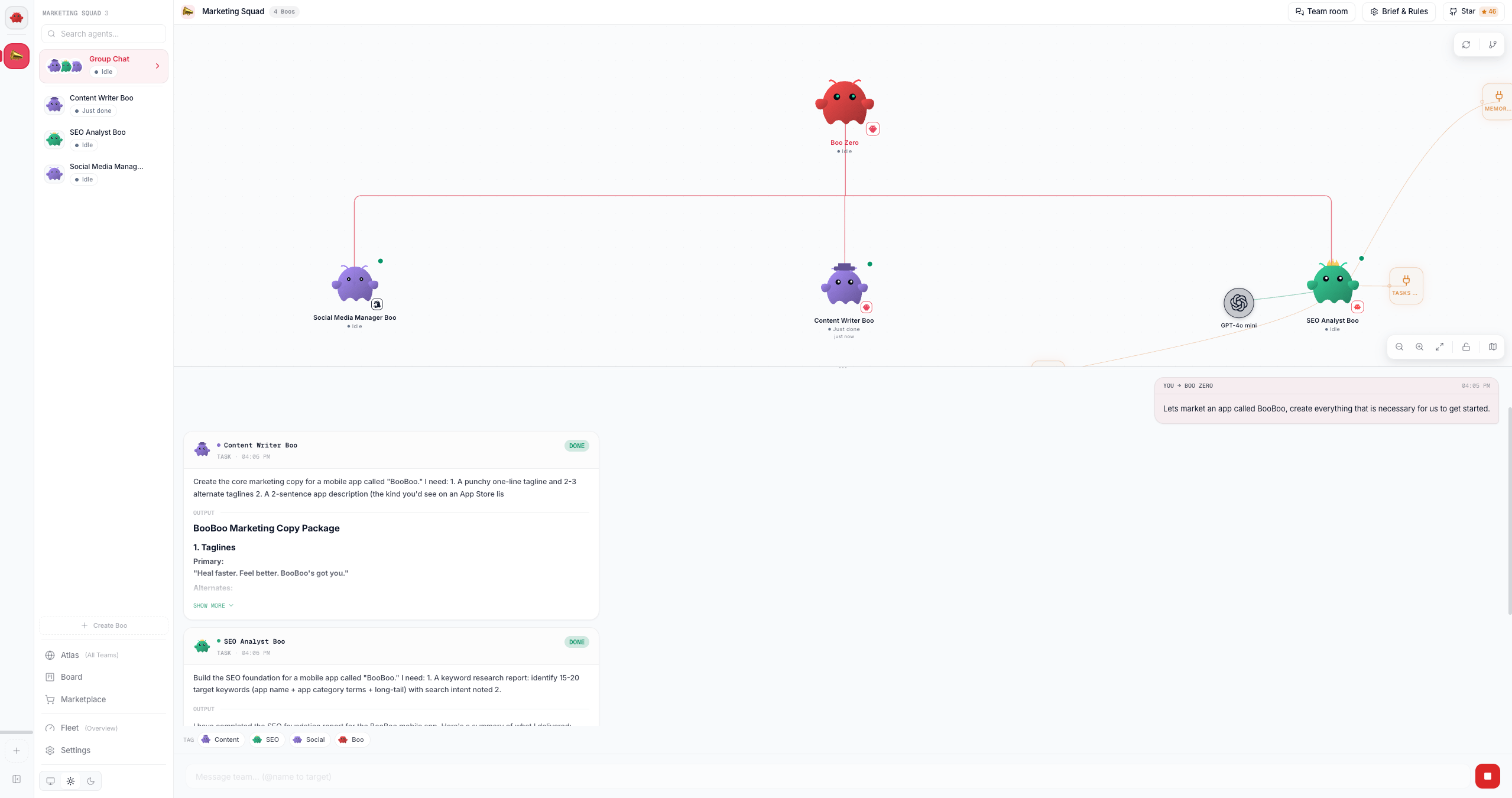
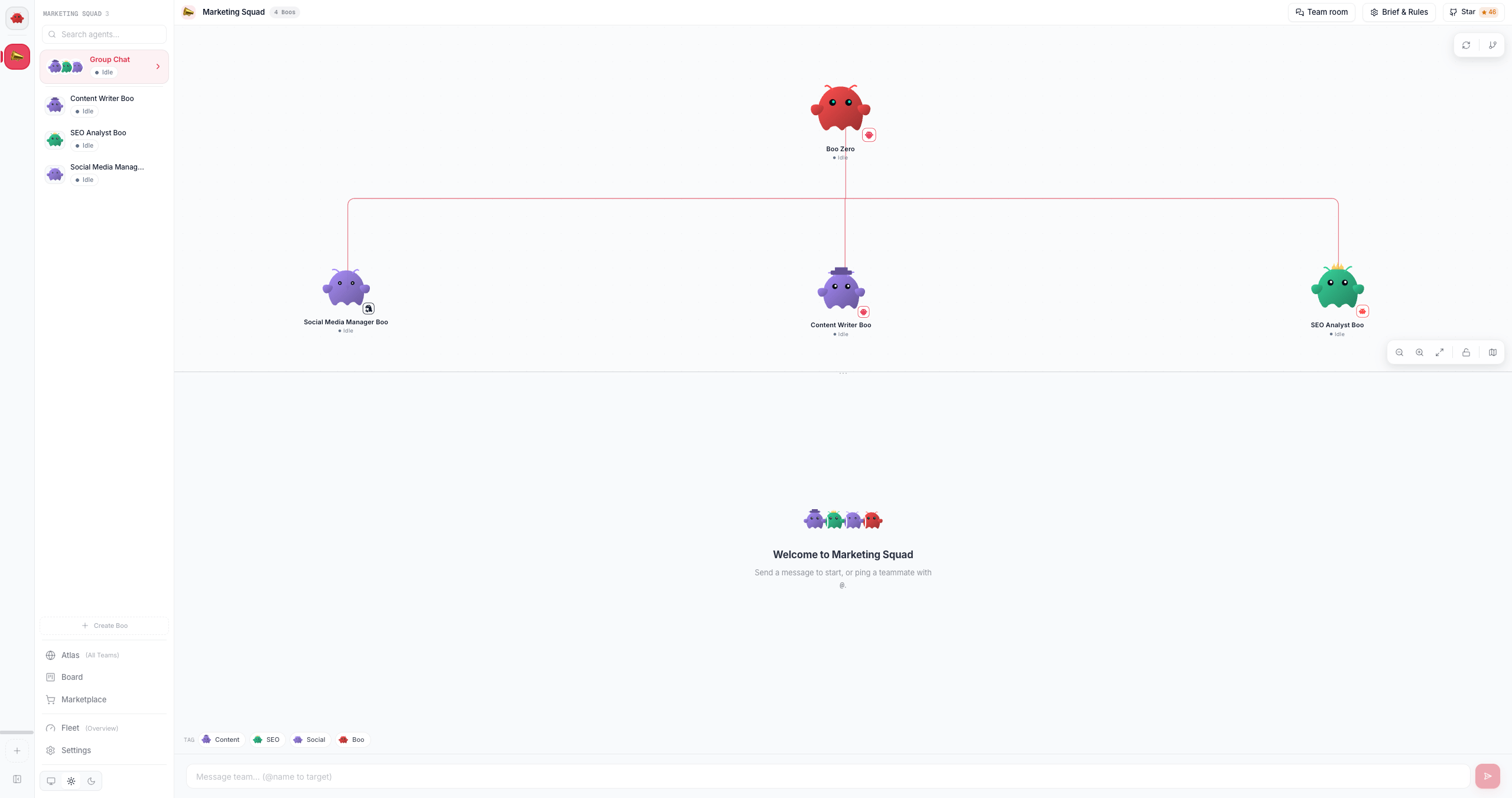
@mention routing from each agent’s AGENTS.md drawn as edges:
What just happened
Deploying a team created real agent records in SQLite, the registry of record for which agents and teams exist, and wrote each agent’s collaboration protocol into itsAGENTS.md, which is what teaches the leader the <delegate> syntax and seeds the Ghost Graph’s edges. The Know-Your-Team gate ran once so you could meet the team and introduce yourself, persisting your introduction so every future message carries it. Then, in chat, the leader’s structured delegation became a durable board task: the server-side orchestration engine derives tasks from typed signals rather than parsing prose, claims each task race-free, and reflects the result back, which is why the work survives a refresh (and a tab close) and the leader is never left waiting on a silent teammate.
Next steps
- The board, the durable, race-free coordination substrate behind every delegation
- Delegation and orchestration, how structured signals become board tasks
- Peer chat, how mixed-runtime agents talk to each other as named peers
- Using group chat, the group-chat surface in depth, including the gate
- Tour the dashboard: Atlas, Ghost Graph, and the view modes