> ## Documentation Index
> Fetch the complete documentation index at: https://docs.claw.boo/llms.txt
> Use this file to discover all available pages before exploring further.
# Install Clawboo
> Install Clawboo with npm i -g clawboo or npx clawboo, launch the dashboard, and see the launch sequence, port discovery, and where Clawboo keeps its state.
By the end of this tutorial you'll have the Clawboo dashboard running locally and open in your browser, ready for the onboarding wizard. Installation is a single command; there is nothing to configure first.
These docs describe Clawboo **v0.3.1**, the current release.
## Prerequisites
* **Node.js 22 or newer.** Clawboo's `engines` field requires `node >=22.0.0`. `npx` ships with Node, so if you have a recent Node you already have everything you need.
* **A terminal and a web browser.** The launcher opens your default browser automatically.
* **No OpenClaw and no provider key required to launch.** You pick a runtime and (optionally) paste a provider key *inside* the onboarding wizard, not before it. A global install (`npm i -g clawboo`) is recommended for a persistent `clawboo` command and one-click updates, but `npx clawboo` works too.
Check your Node version:
```bash theme={"theme":{"light":"github-dark","dark":"github-dark"}}
node --version
```
If it prints `v22.x` or higher, you're set. If not, install a current Node from [nodejs.org](https://nodejs.org) or via a version manager (`nvm`, `fnm`, etc.) before continuing.
## Steps
### 1. Install and run
Install Clawboo globally, then run it:
```bash theme={"theme":{"light":"github-dark","dark":"github-dark"}}
npm install -g clawboo
clawboo
```
The global install gives you a persistent `clawboo` command and one-click in-app updates from the dashboard. Prefer not to install? `npx clawboo` downloads and runs the latest package (currently `0.3.1`) without adding anything to your global `node_modules`.
**Expected result:** the terminal prints the Clawboo ASCII logo and a version line like `Clawboo v0.3.1`, then begins starting the dashboard.
### 2. Watch the launch sequence
Run bare, the CLI is a thin launcher. Its job is to get you to a running dashboard and open your browser there. (It also carries `backup`, `stop`, and `restart`; see the [CLI reference](/reference/cli).) In order, it:
1. **Prints the logo and tagline.**
2. **Does an informational Gateway probe.** It opens a quick TCP connection to `localhost:18789` (the OpenClaw Gateway's default port). This is purely informational; it prints either `OpenClaw Gateway detected` or `No Gateway detected — the dashboard will guide you through setup.` and does not change what happens next. You do **not** need a Gateway running; the native runtime needs none at all.
3. **Finds or starts the dashboard server.** First it looks for an already-running Clawboo dashboard (see [Port discovery](#port-discovery) below). If it finds one, it asks that server what version it is and offers to restart it when it turns out to be older than the CLI you just ran, since the server is detached and would otherwise stay bound to the port on the old build. If none is found, it starts the bundled server.
4. **Opens your browser** at the discovered URL.
**Expected result:** you see a spinner that resolves to `Dashboard started`, then `Clawboo opened at http://localhost:18790` (or the next free port in the `18790–18809` range), and a "Clawboo is ready!" summary with next-step hints.
### 3. Land on the onboarding wizard
On a fresh machine there is no saved state, so the dashboard opens directly into the onboarding wizard.
**Expected result:** your browser shows the Clawboo welcome screen with a **Get Started** button. From here, pick a path:
* **Native runtime (recommended, no Gateway):** [Quickstart: native](/getting-started/quickstart-native). Paste one provider key and you have a working team in about a minute.
* **OpenClaw Gateway:** [Quickstart: OpenClaw](/getting-started/quickstart-openclaw). Detect, install, configure, and start the Gateway from inside the wizard.
## What you should see
A "Clawboo is ready!" banner in your terminal:
```
✔ Dashboard started
✔ Clawboo opened at http://localhost:18790
Clawboo is ready!
What to do next:
• Deploy a pre-built team or create your own
• Open Ghost Graph to see your agent topology
• Browse the Marketplace for skills and team templates
• Track token usage by team and agent
```
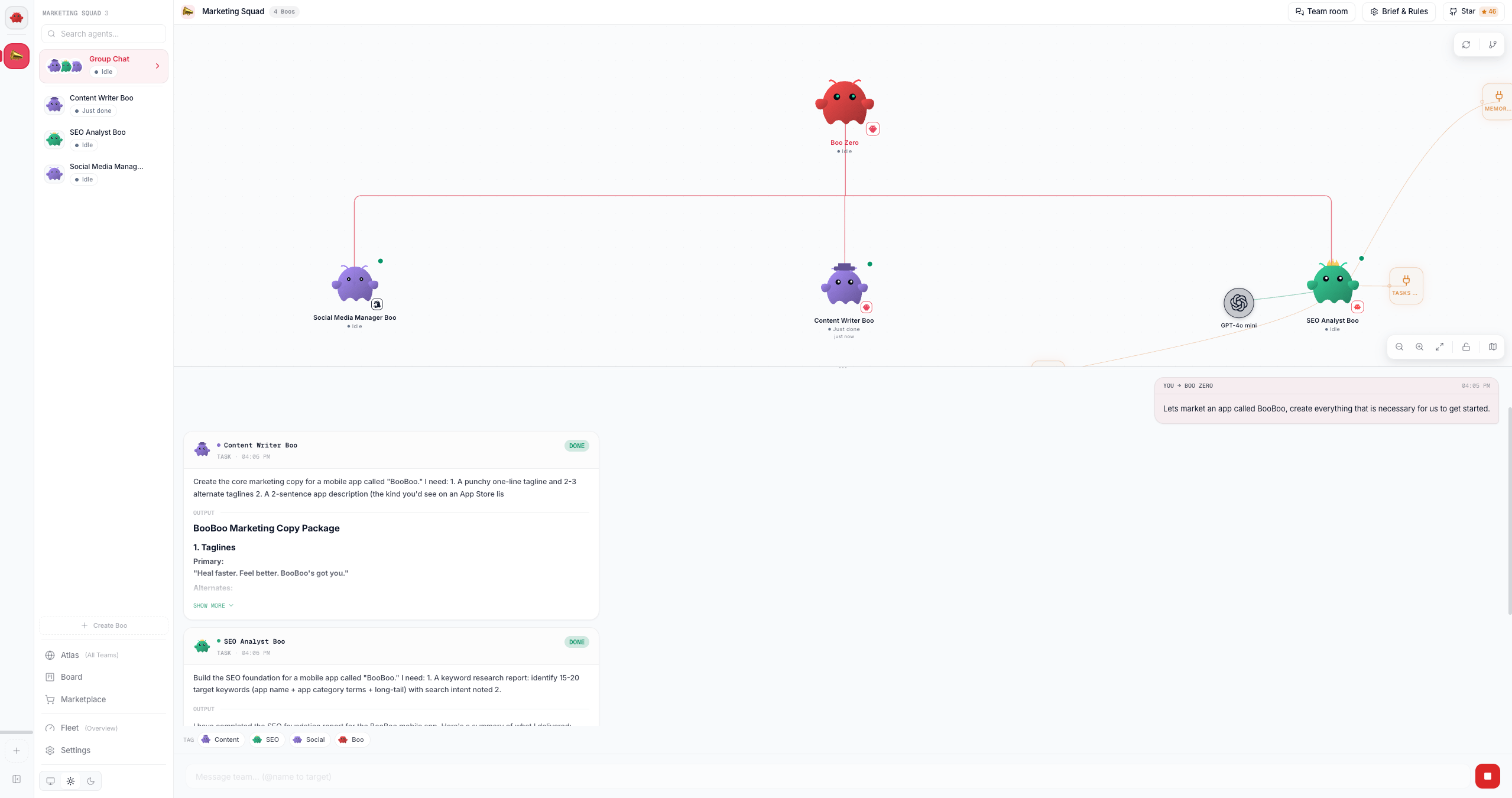
…and the onboarding welcome screen in your browser.
 ## What just happened
`clawboo` ran a launcher that started Clawboo's **bundled server**, a single self-contained Node process that serves both the dashboard UI and every `/api/*` route, and pointed your browser at it. The server bound to **loopback only** (`127.0.0.1`) so a fresh install is never reachable from other machines on your network, picked a free port, and recorded that port so the next `clawboo` can find it again. All of Clawboo's own state lives under `~/.clawboo`; nothing was written into your project or your global Node install.
## Port discovery
The launcher and the server share one port-resolution scheme so they always agree on where the dashboard lives.
| Step | What happens |
| -------------------- | ------------------------------------------------------------------------------------------------------------------------------------------------------------------------------------------------------------------------------------------------------------------------------------------------------------------------------------------------------------------ |
| **Default port** | `18790`, one above the OpenClaw Gateway's `18789`, in the uncommonly-used 18000–18999 range. |
| **Already running?** | Before starting anything, the CLI checks (in order) the `CLAWBOO_API_PORT` env var, the runtime port file at `~/.clawboo/api-port.txt`, then a scan of `18790`→`18809`. If a Clawboo dashboard is already up, it just opens the browser there instead of starting a second server. |
| **Signature probe** | The CLI doesn't trust a bare open TCP port. It does an HTTP `GET /api/settings` and only accepts a response that is Clawboo-shaped JSON (it must contain a `gatewayUrl` string and a `hasToken` boolean). This is why the launcher correctly skips an OpenClaw Gateway auxiliary port or a Chrome `--remote-debugging-port` that happens to sit in the same range. |
| **Free-port scan** | When starting fresh, the server tries `18790` and scans up to 20 consecutive ports (`18790`→`18809`) for the first free one. |
| **Explicit pin** | Set `CLAWBOO_API_PORT=` to force a specific port. It is used exactly and the server fails loudly if that port is taken (no fallback when you've chosen explicitly). |
| **Port file** | After binding, the server writes the chosen port to `~/.clawboo/api-port.txt` so the next `clawboo` (and the Vite dev proxy, and the e2e helpers) can discover it without scanning. |
If `18790` is busy, both the launcher and the server will quietly move up to the next free port and report it. You never have to free port 3000-style collisions; Clawboo stays out of the commonly-contested low ports.
## Bundled vs dev launch
`clawboo` runs the **bundled server**; `server.js` sits next to the CLI entry point in the published package, and the launcher `fork`s it with `NODE_ENV=production`, detached, so it keeps running after the CLI exits. This is the path every end user takes.
There is also a **dev launch** used only when you run the CLI from inside a checkout of the Clawboo monorepo (no bundled `server.js` present): the launcher walks up to find the repo root and spawns `npx tsx apps/web/server/index.ts` instead. Working inside the repo, you'll normally start the dev environment directly with `pnpm dev`, which runs an orchestrator that picks a free API port up front and then runs the Express API and the Vite dev server (`:5173`) together so both agree on the port.
The dev launch is an internal fallback for contributors. For installing and using Clawboo, `clawboo` and the bundled server are all you need. See [Deployment](/operating/deployment) for the full launch model.
## Where state lives
Clawboo keeps **all of its own state** under a single directory, separate from OpenClaw's:
| Location | What's there |
| -------------------------- | ------------------------------------------------------------------------------------------------------------------------------------------ |
| `~/.clawboo/` | Clawboo's own state directory (override with `CLAWBOO_HOME`). |
| `~/.clawboo/clawboo.db` | The SQLite database, the registry of record for agents, teams, the board, memory, settings, and more. |
| `~/.clawboo/settings.json` | Gateway URL/token and other saved settings. |
| `~/.clawboo/api-port.txt` | The runtime port file written on each successful bind. |
| `~/.openclaw/` | OpenClaw's state directory. Clawboo only ever **reads** this for interop (Gateway config and provider-key fallback); it never writes here. |
Because Clawboo's state is self-contained, "uninstalling" is just removing `~/.clawboo` (and, if you only used Clawboo through `npx`, clearing the npx cache). Upgrading needs no such step: there is no migration ladder, but a newer Clawboo adds any columns your existing database is missing when it opens it.
Deleting `~/.clawboo` permanently removes your teams, board tasks, chat history, memory, and settings. Back up `~/.clawboo/clawboo.db` first if you want to keep them.
## Troubleshooting
**"Could not find the Clawboo server."** The launcher couldn't locate either the bundled `server.js` or a monorepo checkout. Re-run `npx clawboo@latest` (the `@latest` is what forces a re-fetch; a bare `npx clawboo` can reuse whatever is already in npm's `_npx` cache), or install it explicitly with `npm install -g clawboo`.
**"Dashboard is taking too long to start."** On a first cold boot, especially on Windows, where Defender scans the freshly-extracted package, the bundled server can take 20–30 seconds to bind. The launcher waits up to 45 seconds. If it still times out, run `clawboo` again; the second launch is warm and fast.
**The browser opened to the wrong page (e.g. "Unauthorized").** The launcher matched a non-Clawboo listener in the `18790`→`18809` range. The current launcher verifies the Clawboo JSON signature before opening the browser, so it skips Gateway auxiliary ports and Chrome's debug port. To pin a specific known-free port, set `CLAWBOO_API_PORT= clawboo`.
## Next steps
* [Quickstart: the native runtime (no Gateway)](/getting-started/quickstart-native)
* [Quickstart: the OpenClaw Gateway path](/getting-started/quickstart-openclaw)
* [Deploy and watch your first team collaborate](/getting-started/first-team)
* [Tour the dashboard](/getting-started/dashboard-tour)
* [Operating: deployment, ports, and the bundled server](/operating/deployment)
* [Reference: the `clawboo` CLI](/reference/cli)
## What just happened
`clawboo` ran a launcher that started Clawboo's **bundled server**, a single self-contained Node process that serves both the dashboard UI and every `/api/*` route, and pointed your browser at it. The server bound to **loopback only** (`127.0.0.1`) so a fresh install is never reachable from other machines on your network, picked a free port, and recorded that port so the next `clawboo` can find it again. All of Clawboo's own state lives under `~/.clawboo`; nothing was written into your project or your global Node install.
## Port discovery
The launcher and the server share one port-resolution scheme so they always agree on where the dashboard lives.
| Step | What happens |
| -------------------- | ------------------------------------------------------------------------------------------------------------------------------------------------------------------------------------------------------------------------------------------------------------------------------------------------------------------------------------------------------------------ |
| **Default port** | `18790`, one above the OpenClaw Gateway's `18789`, in the uncommonly-used 18000–18999 range. |
| **Already running?** | Before starting anything, the CLI checks (in order) the `CLAWBOO_API_PORT` env var, the runtime port file at `~/.clawboo/api-port.txt`, then a scan of `18790`→`18809`. If a Clawboo dashboard is already up, it just opens the browser there instead of starting a second server. |
| **Signature probe** | The CLI doesn't trust a bare open TCP port. It does an HTTP `GET /api/settings` and only accepts a response that is Clawboo-shaped JSON (it must contain a `gatewayUrl` string and a `hasToken` boolean). This is why the launcher correctly skips an OpenClaw Gateway auxiliary port or a Chrome `--remote-debugging-port` that happens to sit in the same range. |
| **Free-port scan** | When starting fresh, the server tries `18790` and scans up to 20 consecutive ports (`18790`→`18809`) for the first free one. |
| **Explicit pin** | Set `CLAWBOO_API_PORT=` to force a specific port. It is used exactly and the server fails loudly if that port is taken (no fallback when you've chosen explicitly). |
| **Port file** | After binding, the server writes the chosen port to `~/.clawboo/api-port.txt` so the next `clawboo` (and the Vite dev proxy, and the e2e helpers) can discover it without scanning. |
If `18790` is busy, both the launcher and the server will quietly move up to the next free port and report it. You never have to free port 3000-style collisions; Clawboo stays out of the commonly-contested low ports.
## Bundled vs dev launch
`clawboo` runs the **bundled server**; `server.js` sits next to the CLI entry point in the published package, and the launcher `fork`s it with `NODE_ENV=production`, detached, so it keeps running after the CLI exits. This is the path every end user takes.
There is also a **dev launch** used only when you run the CLI from inside a checkout of the Clawboo monorepo (no bundled `server.js` present): the launcher walks up to find the repo root and spawns `npx tsx apps/web/server/index.ts` instead. Working inside the repo, you'll normally start the dev environment directly with `pnpm dev`, which runs an orchestrator that picks a free API port up front and then runs the Express API and the Vite dev server (`:5173`) together so both agree on the port.
The dev launch is an internal fallback for contributors. For installing and using Clawboo, `clawboo` and the bundled server are all you need. See [Deployment](/operating/deployment) for the full launch model.
## Where state lives
Clawboo keeps **all of its own state** under a single directory, separate from OpenClaw's:
| Location | What's there |
| -------------------------- | ------------------------------------------------------------------------------------------------------------------------------------------ |
| `~/.clawboo/` | Clawboo's own state directory (override with `CLAWBOO_HOME`). |
| `~/.clawboo/clawboo.db` | The SQLite database, the registry of record for agents, teams, the board, memory, settings, and more. |
| `~/.clawboo/settings.json` | Gateway URL/token and other saved settings. |
| `~/.clawboo/api-port.txt` | The runtime port file written on each successful bind. |
| `~/.openclaw/` | OpenClaw's state directory. Clawboo only ever **reads** this for interop (Gateway config and provider-key fallback); it never writes here. |
Because Clawboo's state is self-contained, "uninstalling" is just removing `~/.clawboo` (and, if you only used Clawboo through `npx`, clearing the npx cache). Upgrading needs no such step: there is no migration ladder, but a newer Clawboo adds any columns your existing database is missing when it opens it.
Deleting `~/.clawboo` permanently removes your teams, board tasks, chat history, memory, and settings. Back up `~/.clawboo/clawboo.db` first if you want to keep them.
## Troubleshooting
**"Could not find the Clawboo server."** The launcher couldn't locate either the bundled `server.js` or a monorepo checkout. Re-run `npx clawboo@latest` (the `@latest` is what forces a re-fetch; a bare `npx clawboo` can reuse whatever is already in npm's `_npx` cache), or install it explicitly with `npm install -g clawboo`.
**"Dashboard is taking too long to start."** On a first cold boot, especially on Windows, where Defender scans the freshly-extracted package, the bundled server can take 20–30 seconds to bind. The launcher waits up to 45 seconds. If it still times out, run `clawboo` again; the second launch is warm and fast.
**The browser opened to the wrong page (e.g. "Unauthorized").** The launcher matched a non-Clawboo listener in the `18790`→`18809` range. The current launcher verifies the Clawboo JSON signature before opening the browser, so it skips Gateway auxiliary ports and Chrome's debug port. To pin a specific known-free port, set `CLAWBOO_API_PORT= clawboo`.
## Next steps
* [Quickstart: the native runtime (no Gateway)](/getting-started/quickstart-native)
* [Quickstart: the OpenClaw Gateway path](/getting-started/quickstart-openclaw)
* [Deploy and watch your first team collaborate](/getting-started/first-team)
* [Tour the dashboard](/getting-started/dashboard-tour)
* [Operating: deployment, ports, and the bundled server](/operating/deployment)
* [Reference: the `clawboo` CLI](/reference/cli)